
Reduce curve guesswork
The grid shows each run and diagonal change. Build one quadrant, mirror it around the axes, and avoid uneven sides.
Free Minecraft circle generator tool
Build perfect circles, spheres, and domes with interactive layer-by-layer blueprints. Toggle odd/even centers, get exact block counts, and plan mega-builds effortlessly.
Deterministic block planner
This free Minecraft circle generator tool converts dimensions into a centered grid. Choose solid or hollow output, inspect volume slices, check block counts, and copy the plan before building.
Odd dimensions place the center on one block.
Click a planned cell to mark it complete. Keyboard: arrows, then Space.
Quick start
Let the Minecraft circle generator describe your footprint. Four decisions produce a plan you can verify before placing materials.
Pick Circle, Ring, Ellipse, Sphere, or Dome. Choose flat geometry for a floor or wall and layered geometry for volume.
Set diameter or separate axes. For hollow work, choose wall thickness and place the center on a block or gap.
Check symmetry, bounds, count, and center guides. Review every sphere or dome layer before committing materials.
Mark the center and axes, follow rows or coordinates, and verify each quadrant. Export CSV for a separate checklist.
This free Minecraft circle generator tool turns dimensions into a repeatable pattern with a clear center, consistent symmetry, and honest material counts.
The grid shows each run and diagonal change. Build one quadrant, mirror it around the axes, and avoid uneven sides.
Sphere and dome modes divide the volume into numbered slices, keeping changing diameters organized as walls rise.
Copy rows or export relative coordinates as CSV. The result remains a construction reference, not an unverified command.
Made for measured builds
A useful circle generator explains where blocks go. PixCraft keeps the grid, axes, dimensions, layer index, and output together for clear construction.
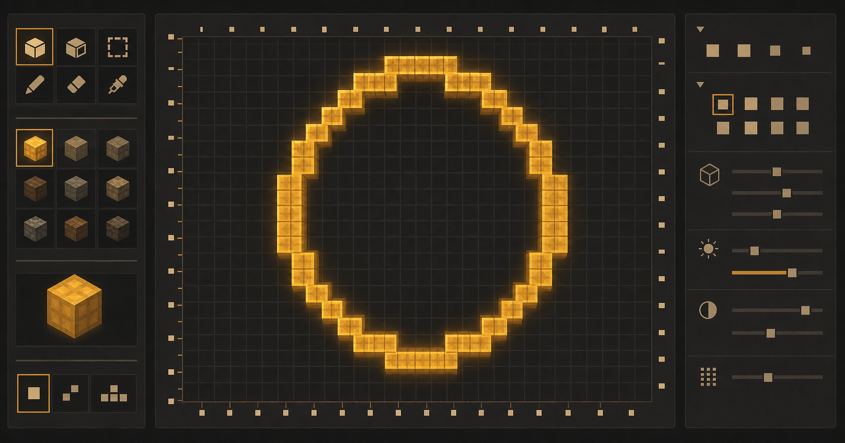
The Minecraft Circle Generator uses a square grid and visible center lines. Symmetry helps you count outward and catch offsets early.
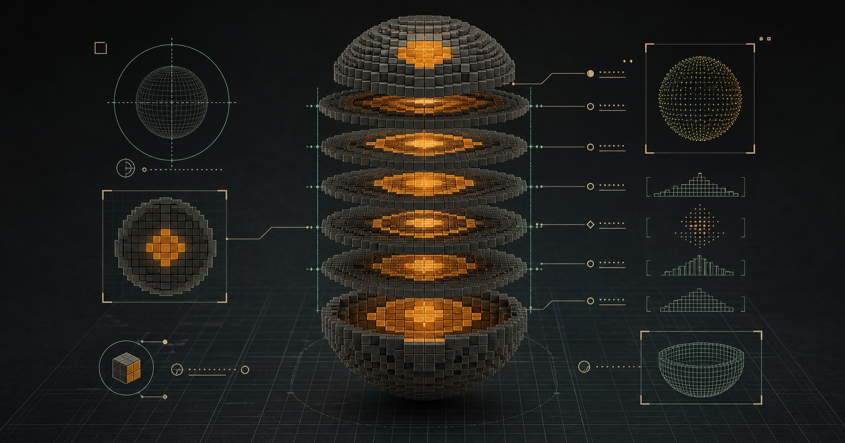
Move through labeled slices from bottom to top. Repeated layers stay recognizable as the volume narrows toward its cap.
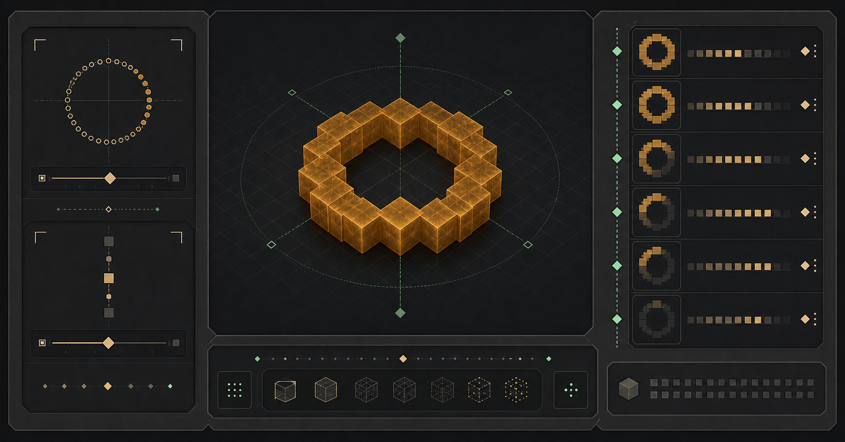
Choose an outline or thicker wall. Consistent interior removal supports towers, arenas, tunnels, tanks, and shells.
Copy row lengths or relative coordinates and download CSV data. Output supports manual construction without modifying your world.
Choose the right geometry
The Minecraft circle generator tool changes its grid and layer output to match each selected geometry.
Use filled circles for plazas, foundations, medallions, and roof plates. Dimensions define the footprint before walls or decoration.
Use rings for towers, wells, arenas, and portals. Thickness can reserve room for stairs, wiring, or an interior.
Separate width and depth create oval rooms, racetracks, windows, and stretched roofs without manual distortion.
Layered output supports observatories, globes, tanks, vaults, and curved roofs with explicit vertical changes.
Use the measured plan as a reference, then adapt openings, supports, materials, and detail to your world.
Center towers, bases, fountains, silos, and arenas before adding walls. Early symmetry protects later floors.
Follow narrowing layers for observatories, temples, greenhouses, and halls. Verify each slice before rising.
Use a vertical plane for windows, emblems, portals, gauges, and other clean wall outlines.
Share rows or coordinates so several builders follow the same axes, dimensions, and layers.
The same workspace covers flat curves and layered volumes while making each output limit visible.
| Mode | Best for | Output | Availability |
|---|---|---|---|
| Filled circle | Floors and round foundations | Grid, rows, coordinates, count | Available |
| Hollow ring | Walls, wells, and arenas | Outline with thickness | Available |
| Ellipse | Oval rooms and facades | Independent width and depth | Available |
| Sphere | Globes, tanks, and shells | Complete numbered layers | Available |
| Dome | Roofs and observatories | Upper-half layer sequence | Available |
Planning that stays readable
PixCraft connects shape controls with rows, coordinates, counts, and layer labels.
Scope: deterministic plans for five shapes; no world editing, server connection, or automatic placement.
From dimensions to footprint
Common planning gap
Even and odd dimensions can center on a block or gap, changing alignment.
PixCraft approach
The Minecraft circle generator exposes center mode and draws both grid axes.
Common planning gap
Pictures are awkward when builds exceed the screen or involve several builders.
PixCraft approach
Copy rows or relative coordinates beyond the live preview.
From footprint to volume
Common planning gap
A sphere changes footprint, so one circle cannot describe every height.
PixCraft approach
Sphere and dome output provides ordered, controlled slices.
Common planning gap
Builders need a baseline, although supports and decoration vary.
PixCraft approach
Counts cover generated cells and exclude scaffolding, openings, and trim.
Common planning gap
Wide plans can cross chunks and drift after construction starts.
PixCraft approach
Center, axis, and chunk guides keep large plans oriented.
PixCraft is independent. Plans do not connect to an account, server, save, or game client.
Build with fewer corrections
The Minecraft Circle Generator supplies the pattern; careful setup keeps it aligned.
Place temporary center lines before tracing. They reveal whether opposite sides share one reference.
Verify one quadrant, then mirror its runs to reduce recounting and catch mistakes.
Mark each dome or sphere layer and compare its bounds with the slice below.
Step back after major layers. Balanced geometry still needs doors, trim, lighting, and supports.
The circle generator owns curves; other PixCraft pages handle commands, banners, lettering, and skins.
Plan dimensions here, syntax in the command workspace, and visuals in banner or font tools.
Save dimensions, rows, or coordinates before switching so the next task has a stable reference.
Geometry is edition-neutral; commands and banner output can differ. Read their version notes.
The PixCraft workshop
The Minecraft circle generator keeps footprints and layers together. Use focused PixCraft workspaces for commands, banners, lettering, or skins.
Available now
Create five curved shapes from exact dimensions. Review the grid and layers, estimate blocks, and export rows or coordinates from this Minecraft circle generator tool.
Available now
Paint a 64×64 skin, inspect it in 3D, manage layers, and export PNG.
Open toolAvailable now
Assemble Java and Bedrock commands, review editions, validate syntax, and copy output.
Open toolAvailable now
Stack patterns, preview a banner or shield, and copy a version-aware recipe.
Open toolAvailable now
Create block lettering, preview spacing, and export plans for signs or builds.
Open toolQuick answers
Answers about dimensions, hollow shapes, ellipses, layers, counts, and using each plan.
Yes. The free Minecraft circle generator tool works without an account. Preview, layers, copied rows or coordinates, and CSV support manual planning.
The plan selects cells around a center. Symmetry matches quadrants, while balanced runs and diagonal steps reduce uneven sections.
Yes. Choose Ring or a hollow volume. One block creates a light outline; larger thickness values add bands.
Yes. Ellipse mode accepts separate width and depth. Centered axes keep oval structures balanced.
The Minecraft Circle Generator creates numbered horizontal slices. Build one at a time, align its center with the layer below, and check repeated patterns.
It is exact for generated cells. It excludes scaffolding, supports, stairs, slabs, decoration, mistakes, and blocks removed for openings.