
See the real export
Preview color, spacing, shadow, background, and dimensions before download, so layout problems appear early.
Free online Minecraft font generator
Create HD transparent pixel text PNGs for thumbnails or copy formatted game text (§/&/JSON) instantly. Live preview with side-by-side Java and Bedrock compatibility.
Pixel lettering bench
Pixel PNG supports A–Z, 0–9, spaces, and selected punctuation. Lowercase becomes uppercase; unsupported characters render as ?. Text-code output preserves input.
Supported punctuation: ?!.,:;'"-_+=/\()[]<>#%&@$*|
Type once, then create a sharp PNG or labeled game-text format. The local preview keeps image output separate from command text and shows the result before any copy or download.
Live pixel preview
Integer coordinates keep exported edges clean.
Typed text and PNG rendering stay in this browser until you copy or download the result.
Four focused steps
Start with the result you need. The workspace creates either an image or targeted formatting text.
Choose Pixel PNG for artwork or Game Text Codes for a Bedrock, plugin, or Java destination.
Use concise lines so chunky lettering stays readable on graphics, panels, and signs.
Set PNG colors and spacing or choose text formatting, then inspect contrast and line breaks.
Download the PNG or copy the labeled text, then test codes in the intended edition and field.
A free online Minecraft font generator should make output usable. PixCraft combines lossless images, clear formatting targets, instant preview, and local processing.
Preview color, spacing, shadow, background, and dimensions before download, so layout problems appear early.
Choose Bedrock, plugin, rawtext, or Java output before copying instead of trusting uncertain decorative Unicode.
Typing, styling, preview, and PNG creation run locally without an image upload or account.
Made for clean pixel output
This lettering workbench keeps preview, scale, background, shadow, target, and compatibility visible. Image and text outputs remain separate.
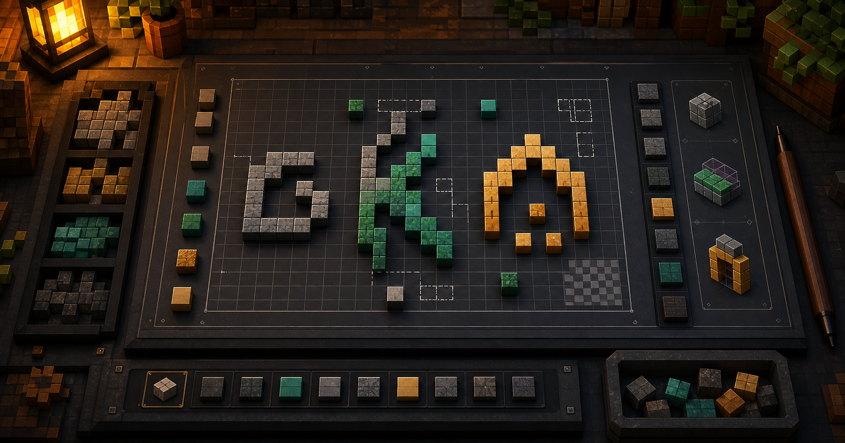
Whole-pixel placement, disabled smoothing, and integer scales preserve crisp edges for thumbnails, overlays, guides, and server graphics.
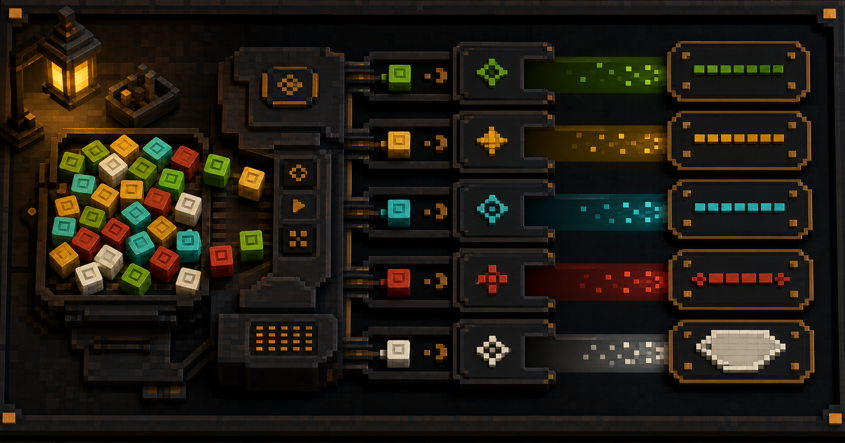
Bedrock codes, plugin codes, rawtext, and Java components use separate outputs with visible target labels.
Choose transparency for overlays or a solid backdrop for finished graphics. A checkerboard confirms the choice before download.
Plugin syntax and edition-sensitive formats are labeled. No copied string is presented as universal.
Two outputs, four clear formats
The workspace separates image design from game or server text, so every control has a clear purpose.
Create blocky lettering with background, shadow, spacing, and integer-scale controls when visual appearance matters most.
Apply colors and supported styles to text for compatible Bedrock contexts.
Build ampersand codes for plugins that document the convention; vanilla Java support is not implied.
Produce Bedrock rawtext or a version-labeled Java component, then test it in the target command.
Image mode supports visual projects; code modes prepare text for compatible game or server workflows.
Export transparent titles for server listings, community posts, guides, or launcher graphics.
Create shadowed labels for thumbnails, chapter cards, stream scenes, and social clips.
Prepare colored text or rawtext for a supported chat, title, book, or command.
Generate ampersand text only for plugins that explicitly document support.
Each workflow names its output, purpose, and destination.
| Workflow | Output | Best for | Availability |
|---|---|---|---|
| Pixel PNG | Lossless raster image | Graphics and visual references | Available |
| Transparent export | PNG with alpha | Overlays and composition | Available |
| Bedrock formatting | Section codes or rawtext | Compatible Bedrock fields | Available |
| Plugin formatting | Ampersand convention | Plugins that document support | Available |
| Java structured text | Version-labeled component | Compatible Java commands | Available |
Compatibility before decoration
Many pages mix images, Unicode, codes, font files, and resource packs. PixCraft gives each output a visible boundary.
Scope: original pixel PNG lettering plus selected Bedrock, plugin, and Java formats. No official font files or resource packs.
Image output
Common friction
Fractional scaling or smoothing can soften an otherwise blocky download.
PixCraft approach
Whole-pixel placement and integer scales keep the downloaded edge aligned with the preview.
Common friction
A plain preview can hide whether an export is truly transparent.
PixCraft approach
A checkerboard and explicit background choice show the PNG state before download.
Text output
Common friction
One code box can hide whether syntax belongs to Bedrock, Java, or a plugin.
PixCraft approach
Target selection remains visible beside every result.
Common friction
Fancy Unicode may be rejected or rendered differently across devices and servers.
PixCraft approach
PixCraft avoids promising universal decorative Unicode support.
Common friction
Java text components change, making old examples misleading.
PixCraft approach
Version notes distinguish browser formatting from in-game validation.
Editions, commands, and plugins change. Test copied output in a controlled environment.
Better lettering habits
The online Minecraft font generator handles mechanics; these checks improve readability and reuse.
Compare foreground and destination. A hard shadow helps, but similar brightness still harms readability.
Prefer 1×, 2×, or 4×; fractional resizing can soften a crisp original.
Shorten wide pixel text, add deliberate line breaks, and preview the actual destination.
Paste codes into the exact edition, command, plugin, or field you intend to use.
The first release prioritizes reliable PNG export and clearly separated formats. Future additions must support real workflows.
Add glyphs only with consistent grids, baselines, spacing, and documented licenses.
Preserve style settings in a compact URL without storing entered text.
Expand structured text only when version, field, escaping, and warnings can be tested together.
The PixCraft workshop
This lettering bench handles image and text output. Other PixCraft tools cover skins, curves, commands, and banners.
Available now
Create crisp PNG lettering, control backgrounds and shadows, and copy separated text formats with a free Minecraft font generator.
Available now
Paint a 64×64 skin on a rotatable character and download a local PNG.
Open toolAvailable now
Turn dimensions into block grids, counts, layers, and coordinates.
Open toolAvailable now
Build Java or Bedrock commands with version labels and field checks.
Open toolAvailable now
Stack colored patterns, reorder layers, and follow a loom plan.
Open toolQuick answers
Answers about PNG export, game formats, privacy, and preview limits.
Yes. Pixel PNG and Game Text Codes work without an account, from preview through download or copy.
It creates original pixel PNG lettering and labeled text formats, not an official font file or resource pack.
No. Bedrock codes, plugin conventions, rawtext, and Java components use different parsers. Choose and test the intended target.
Yes. Select Transparent and download a hard-edged PNG suitable for overlays or later composition.
No. PixCraft uses original voxel-inspired pixel lettering and is independent from Mojang and Microsoft.
No. Manual generation, preview, formatting, and PNG export happen locally in your browser.